How to Stop AI Hallucinations When Vibe Coding (2026 Tactics)
AI coding tools confidently invent functions, suggest packages that don't exist, and cite deprecated APIs. The real tactics for catching hallucinations before they ship — what to verify, the prompts that prevent invention, and the tools that audit AI output.
AI coding tools hallucinate — they confidently invent functions, suggest packages that don't exist, cite deprecated APIs, and produce code that compiles but doesn't actually work. The fix isn't a better model. It's a tighter review loop: specific prompts that reduce invention, manual checks for the patterns models hallucinate most, and automated guardrails that catch what slips through.
This is the deep dive on hallucinations specifically — the patterns, the failure modes, and the tactics that actually catch them in real vibe-coding workflows.
TL;DR — the five guardrails
- The session opener — explicit instructions that block the most common hallucination patterns.
- The npm-package check — 30-second verification of every new dependency.
- The function-existence check — type errors and IDE hover for confirming methods exist.
- The plan-first habit — make the agent describe before coding.
- Automated tooling — typecheck, lint, dep audit, and security scan in CI.
Each below in detail with real examples.
Why models hallucinate code
Three core reasons, simplified:
1. They predict tokens, not truth
LLMs generate the most-probable next token given the prior context. "The most-probable next token" and "the actually-correct next token" are usually the same — but when they diverge, the model picks probable. A function name that sounds right in context wins over a function name that exists.
2. Their context degrades over long sessions
Models get more confident-sounding exactly when their context degrades — which is the worst possible time to trust them. After 4-5 hours of agentic work, the model is operating on a summarized, lossy version of the project state. Confidence stays high; accuracy drops.
3. The training data has more "code that looks right" than "code that's correct"
Open-source corpora include a lot of half-finished examples, deprecated patterns, and stack-overflow code that worked once on someone's machine. Models absorb the average. Some of the average is wrong.
The four hallucination patterns to watch for
Not all hallucinations look the same. The patterns:
Pattern 1: invented functions
The model calls a function that doesn't exist. The signature looks right. The call site looks reasonable. The function does not exist anywhere.
Real example: I asked Claude Code to refactor a component. It produced:
`` import { useDebouncedQuery } from '@tanstack/react-query' ``
This hook doesn't exist. @tanstack/react-query has useQuery, not useDebouncedQuery. The model invented a plausible name based on the user request ("debounce the query").
The catch: TypeScript will throw immediately if useDebouncedQuery isn't exported. Hovering on the import in your IDE will show "no such export." Run typecheck before accepting.
Pattern 2: hallucinated packages
The model imports from a package that doesn't exist on npm — or worse, a package that *does* exist because someone typo-squatted the model's predicted name.
Real example: import { fetchWithRetry } from 'fetch-retry-helper'. The package doesn't exist. The model invented it because the request was about fetch-with-retry behavior. If you ran pnpm install fetch-retry-helper and it succeeded, you've installed a malicious package squatting on the model's hallucination pattern.
The catch: lock down the session opener (see below). Verify every new dependency before installing.
Pattern 3: deprecated or wrong API surfaces
The model uses an older, deprecated, or version-mismatched API that compiled three releases ago and doesn't anymore.
Real example: Next.js 14 broke a number of patterns from Next.js 13. Models trained partly on Next.js 13 code occasionally produce Next.js 13 patterns that fail at build time on Next.js 14.
The catch: pin your framework versions in the session prompt ("we are on Next.js 15.3"). Hover on imported types to confirm they exist in your current version.
Pattern 4: confidently-wrong logic
The code compiles, runs without errors, and is subtly wrong in a way that only shows up under specific inputs. This is the worst case because nothing surface-level catches it.
Real example: a date-handling function that works for most dates but fails at month boundaries due to off-by-one timezone logic. Tests with March 31st pass; tests with March 1st fail.
The catch: edge-case tests. Specifically ask the model to generate tests for boundary conditions (null, empty string, very large numbers, leap years, timezones). See 11 Claude Code tricks.
The five guardrails, in detail
Guardrail 1 — the session opener
Every Claude Code or Cursor session starts with this paste (or your project-specific variant):
We are working on [project name]. The stack is [Next.js 15.3, Tailwind 4.0, Supabase].
> > Rules for this session: > - Do not install npm packages without asking first. If you propose one, include the GitHub URL, last commit date, and weekly downloads. > - Do not invent function names. Only use functions that exist in installed packages or in this codebase. Verify with hover or grep before referencing. > - Pin framework versions: we are on the versions listed above. Do not produce code patterns from older versions. > - For any non-trivial change, plan first and wait for approval before writing code. > - Maintain a NOTES.md as we go. > > Now: give me a 10-line repo map.
This single paste prevents 60-70% of common hallucinations. Worth memorizing.
Guardrail 2 — the npm-package check
Before installing any new package, 30-second checklist:
- Open npm.
npmjs.com/package/<package-name>. Does it exist? - Check weekly downloads. Anything below ~10,000/week needs scrutiny.
- Open the GitHub repo. Last commit within 6 months? Maintained.
- Compare downloads to GitHub stars. A package with 100K weekly downloads and 3 stars is suspicious.
- Run `pnpm audit` after installing. CVEs surface here.
This is 30 seconds per dependency. Worth every second.
For an automated layer: Socket.dev's CLI runs at install time and flags supply-chain risk specifically. Worth integrating into pre-commit or CI.
See 13 vibe coding security mistakes for the broader supply-chain framing.
Guardrail 3 — the function-existence check
Three quick verifications before accepting any AI-suggested function call:
- Hover on the function in your IDE. If the type signature shows up, the function exists. If it shows "any" or "unresolved," it might not.
- Run typecheck.
pnpm typecheck(ortsc --noEmit) catches missing imports immediately. - Grep for the function.
grep -rn "useDebouncedQuery" node_modules/<package>/dist. If it's not in the source, it's invented.
Make these three checks reflexive on any new function call introduced by the agent.
Guardrail 4 — the plan-first habit
For any non-trivial change:
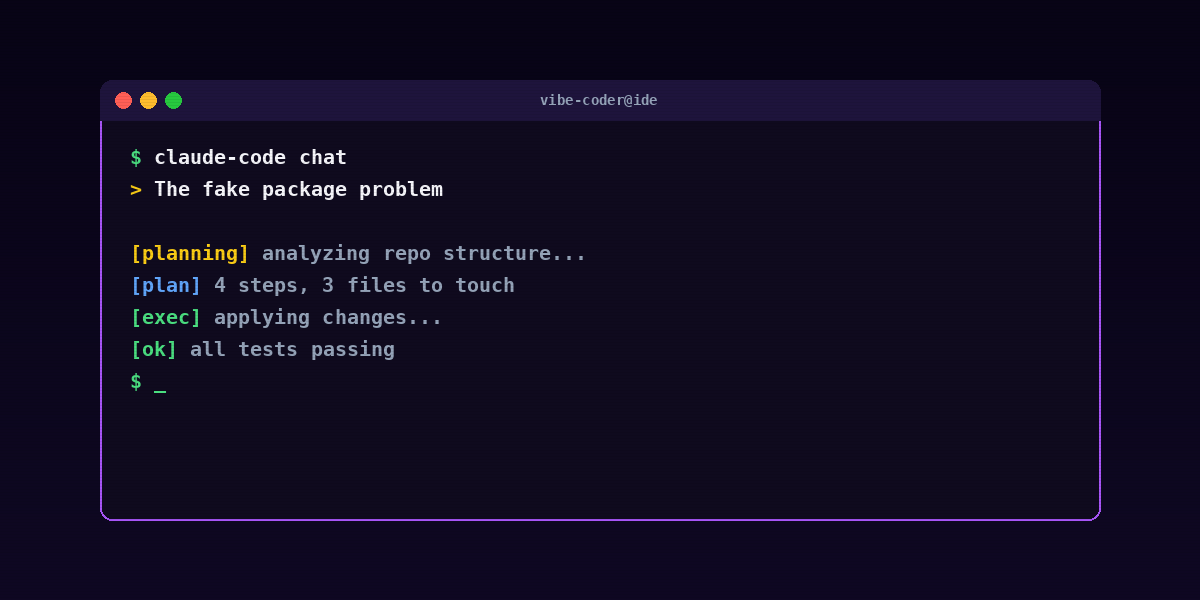
Do not write code yet. List the files you would touch and the changes you would make. Specifically: which functions or APIs would you call, and where do those exist? I will approve, then you execute.
The plan is where invented functions show up most cleanly — the model lists "I'll use useDebouncedQuery from react-query." You catch it in the plan, not the code. The fix is a one-line correction ("that hook doesn't exist; use a custom debounce on top of useQuery") instead of an unwound diff.
This is the highest-leverage trick across all of vibe coding. See 11 Claude Code tricks for the broader plan-first pattern.
Guardrail 5 — automated tooling
The unspoken layer that catches what your manual review misses. The minimum stack:
- TypeScript with
strict: true. Catches missing imports, wrong types, undefined function calls. - ESLint with the
no-unresolvedrule. Catches missing imports. - `pnpm audit` in CI. Catches known-vulnerable packages.
- `pnpm typecheck` and `pnpm lint` as required pre-commit hooks (via husky + lint-staged).
- Dependabot or Snyk scanning the repo. Catches issues that emerge after the dependency was added.
If you're shipping production code, add Semgrep or CodeQL for static analysis. They catch security patterns that normal lint misses.
The session-level safety habits
A few habits that compound across sessions to prevent hallucinations:
Pin framework versions explicitly
The model's training data has many versions of every framework. Telling it which version you're on cuts version-mismatch hallucinations dramatically.
The codebase is on Next.js 15.3, React 19.0, TypeScript 5.5. Use only patterns valid in these versions.
Provide repo-specific context
If your project has unusual patterns ("we use a custom db helper instead of importing the Supabase client directly"), tell the model. It will invent a plausible-but-wrong import otherwise.
When this code needs to access the database, importdbfrom@/lib/db. Do not import the Supabase client directly.
Reset when the model gets confused
If the agent has been hallucinating across multiple turns, the session is contaminated. Models double down on their own bad assumptions. The fix is to clear the session and start fresh — paste a clean session opener, point at the current state of the repo, restart.
Don't trust the agent's self-debug
A common trap: ask the agent why a piece of code is failing. The agent confidently explains. Sometimes the explanation is right. Sometimes it's a hallucinated cause that "sounds right" but isn't.
Tactic: ask for the agent's reasoning step-by-step, then verify each step against actual code or actual error output. Don't accept the natural-language explanation as the truth.
Common mistakes when fighting hallucinations
Trusting the agent's "I checked, this function exists"
When the agent says "I verified this function exists in the package," it didn't actually verify anything — it predicted that "verified" was a probable next token. Always confirm with a real check (hover, typecheck, grep).
Letting the model "fix" its own hallucinations without review
The model that produced the hallucinated function will often produce a *new* hallucinated function when asked to fix it. Each round compounds. Better: reject the hallucination, paste the actual signature you want, restart.
Accepting a multi-file diff with one inspection
Read every file that changed. Hallucinations hide in the file you didn't open.
Assuming model errors are "rare"
They're not rare. They're patterned. Roughly 17% of AI-suggested package names are wrong. That's not "rare" — that's "every sixth package suggestion needs checking."
Skipping the typecheck
If your project has TypeScript with strict mode, the typecheck is a free hallucination filter. Run it before every commit. Most hallucinated function calls fail typecheck immediately.
When the hallucination is good
A counterintuitive note: sometimes the model invents a function that *would* be useful even though it doesn't exist. "There should be a useDebouncedQuery hook" is a valid feature request.
In that case: write the helper yourself (or have the agent write it explicitly, as new code, named clearly). Then the call site is no longer a hallucination — it's a function the agent wrote and you reviewed.
The boundary: hallucination = pretending something exists. Good invention = saying "I'll write this now."
Specific tools that audit AI output
A few tools worth knowing for an automated hallucination-catching layer:
- Socket.dev — flags supply-chain risk on every new dependency. Free tier covers most indie projects.
- Snyk — broader security scanning + dependency analysis.
- Semgrep — static analysis with custom rule support.
- CodeRabbit — AI code review specifically tuned for AI-generated code (somewhat meta, very useful).
- Pre-commit hooks via husky + lint-staged — your local guardrail.
You don't need all of them. The minimum: TypeScript strict + Semgrep or CodeRabbit + Dependabot.
FAQ
Do hallucinations get worse with longer sessions?
Yes. Models compound their own context. After 4-5 hours of agentic work, hallucination rate goes up. Reset sessions for long projects.
Are some models better than others at not hallucinating?
Yes — but the gap shifts. Claude 3.5 and 4-series models, GPT-4 turbo, and similar tier models hallucinate less on code than smaller models. The gap between best and median has narrowed in 2025-2026 but remains real. The bigger lever for *your* hallucination rate is your process, not your model choice.
Will future models eliminate hallucinations?
Probably reduce, not eliminate. Fundamental token-prediction shape means some level of plausible-wrong output is inherent. The mitigation will continue to be process: typecheck, plan-first, dependency review.
How do I tell a good function name from an invented one?
If you've never seen the function before, hover or grep to verify. Don't trust your memory — models invent plausibly-named functions specifically.
What about hallucinations in tests?
Same patterns, often worse — tests test fewer edge cases than developers think they do. Always run the tests after the agent generates them. Tests that pass without ever being run are very common.
Are hallucinations more common in Cursor or Claude Code?
Comparable rates — they're using similar models. The bigger differentiator is whether you're using the plan-first habit and the typecheck-on-every-edit habit. Both editors support both.
What's the single most important guardrail?
The session opener with explicit "do not invent function names" + "pin framework versions" instructions. Followed by typecheck on every commit. These two cover most cases.
The bottom line
Hallucinations are a feature of how LLMs work, not a bug that's about to be fixed. The mitigation is process: a session opener that blocks the most common patterns, a 30-second check on every new dependency, a plan-first habit that surfaces invented functions before they land, and automated tooling that catches what slips through.
The builders who ship well in 2026 do all five. The builders who skip them ship faster initially and then spend hours debugging code that compiled but didn't work.
For the broader workflow: What is vibe coding, 11 Claude Code tricks, and 13 vibe coding security mistakes.
For weekly coverage of the AI tooling space: humanai.news. To deploy a personal AI agent in 60 seconds: RapidClaw.